Pomodoro Study Timer Easy2.8.0
Publisher Description



Boost your focus and productivity.
Easy Timer is the perfect simple countdown timer for studying, workouts, tasks, and daily routines. Easy to use and beautifully designed to help structure your day.
【Features】
- Simple and intuitive interface
- Perfect for study sessions and training workouts
- Interval timer functionality for repeated tasks
- Great for managing daily schedules
- Works in the background
- Clean and readable design
- Notifications to support goal achievement
【Recommended for】
- Students who want to focus on studying
- Athletes or anyone training regularly
- People who want to organize their daily life
- Fans of simple, functional tools
Make every day more productive and enjoyable with Easy Timer.
◆ Key Features:
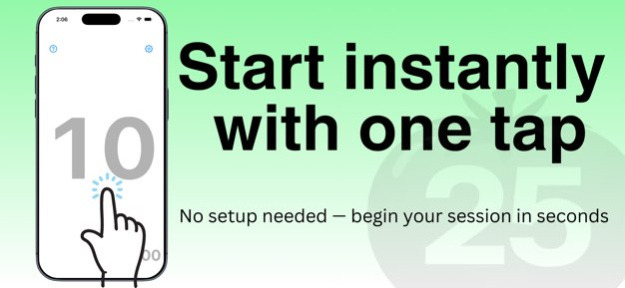
* Start/stop the timer easily with a tap
* Reset or adjust time intuitively with swipe gestures
* Interval mode: Set the number of timer repetitions (*)
* Preset management: Save and quickly reuse your favorite settings (*)
* Sound customization: Choose your preferred alert sound (*)
* Preset Sync: Share presets across devices via iCloud (*)
* Supports landscape view - ideal during workouts or other active use
* Fully optimized for iPad
* Mirror View: Flip the display horizontally for live streaming, front camera recording, or mirror workouts and dance practice
* Works in the background with end-of-time notifications
* Simple, clear design that’s easy to use without confusion
(* Premium features available for subscription users)
◆ Premium Service Details
[Payment]
* Your Apple ID account will be charged.
* The subscription automatically renews every month from the start date.
[Auto-Renewal Details]
* Your subscription will automatically renew unless canceled at least 24 hours before the end of the current period.
* Charges for the next billing cycle will be made within 24 hours before the current period ends.
[Check Membership Status / Cancel Subscription]
You can check or cancel your subscription by following these steps:
1. Open the App Store app
2. Tap your account icon
3. Sign in if needed
4. Tap "Subscriptions" to view or manage your subscription settings
*Note: Cancellation of premium service subscriptions made via iTunes Store cannot be performed from within the app or website. Please use the App Store settings.
[Cancellation for the Current Month]
Cancellations for the current month of premium service are not accepted.
◆ Terms of Use
https://www.apple.com/legal/internet-services/itunes/dev/stdeula/
◆ Privacy Policy
https://privacypolicyforeasytimer.carrd.co
Version History Added a new "Mirror View" feature, useful for live streaming, front camera recording, and workouts/dance practice using mirrors. You can enable it in Settings. 2.8.0 Jul 3 We refreshed the app icon. 2.7.3 Mar 14 We refreshed the app icon. 2.7.2 Feb 19 Added Traditional Chinese localization and improved stability. 2.7.1 Feb 5 New Features in v2.7
• Check and change time settings on the preset settings screen
• Navigate to each preset setting from the preset list management screen
• Set the countdown time for timer end
• Remaining time notification feature (with time setting) 2.7 05/02/2025 Fixed bugs related to preset saving and preset synchronization. 2.6.1 05/01/2025 Added preset management feature
Added preset sync feature
Fixed localization
Fixed a bug where saved presets might not load on launch 2.6 04/29/2025 Added countdown-to-end feature and support for free trial of premium subscription 2.5 04/21/2025 Updated multilingual support. 2.4 04/17/2025 Fixed a bug where premium features were not immediately activated after subscription purchase. 2.3 04/16/2025 Fix issue where premium features were not activated without app restart after subscription purchase or restore 2.2 04/10/2025 Fixed bug where the default sound was silent 2.1 04/09/2025 Easy Timer now supports iOS 15.6+, features a refreshed settings screen, and introduces new premium features through a subscription. 2.0 04/08/2025 sound bug fix 1.3 12/09/2011 - Bug fixed
- Improved compatibility with iOS 5 1.1 10/31/2011 1.0 08/18/2011
About Pomodoro Study Timer Easy
The company that develops Pomodoro Study Timer Easy is TURTLE SOFT. The latest version released by its developer is 2.8.0.
To install Pomodoro Study Timer Easy on your iOS device, just click the green Continue To App button above to start the installation process. The app is listed on our website since 2026-10-14 and was downloaded 3 times. We have already checked if the download link is safe, however for your own protection we recommend that you scan the downloaded app with your antivirus. Your antivirus may detect the Pomodoro Study Timer Easy as malware if the download link is broken.
How to install Pomodoro Study Timer Easy on your iOS device:
- Click on the Continue To App button on our website. This will redirect you to the App Store.
- Once the Pomodoro Study Timer Easy is shown in the iTunes listing of your iOS device, you can start its download and installation. Tap on the GET button to the right of the app to start downloading it.
- If you are not logged-in the iOS appstore app, you'll be prompted for your your Apple ID and/or password.
- After Pomodoro Study Timer Easy is downloaded, you'll see an INSTALL button to the right. Tap on it to start the actual installation of the iOS app.
- Once installation is finished you can tap on the OPEN button to start it. Its icon will also be added to your device home screen.
Program Details
System requirements
Download information
Pricing
Version History
version 2.8.0
posted on 2026-10-14
Version History Added a new "Mirror View" feature, useful for live streaming, front camera recording, and workouts/dance practice using mirrors. You can enable it in Settings. 2.8.0 Jul 3 We refreshed the app icon. 2.7.3 Mar 14 We refreshed the app icon. 2.7.2 Feb 19 Added Traditional Chinese localization and improved stability. 2.7.1 Feb 5 New Features in v2.7
• Check and change time settings on the preset settings screen
• Navigate to each preset setting from the preset list management screen
• Set the countdown time for timer end
• Remaining time notification feature (with time setting) 2.7 05/02/2025 Fixed bugs related to preset saving and preset synchronization. 2.6.1 05/01/2025 Added preset management feature
Added preset sync feature
Fixed localization
Fixed a bug where saved presets might not load on launch 2.6 04/29/2025 Added countdown-to-end feature and support for free trial of premium subscription 2.5 04/21/2025 Updated multilingual support. 2.4 04/17/2025 Fixed a bug where premium features were not immediately activated after subscription purchase. 2.3 04/16/2025 Fix issue where premium features were not activated without app restart after subscription purchase or restore 2.2 04/10/2025 Fixed bug where the default sound was silent 2.1 04/09/2025 Easy Timer now supports iOS 15.6+, features a refreshed settings screen, and introduces new premium features through a subscription. 2.0 04/08/2025 sound bug fix 1.3 12/09/2011 - Bug fixed
- Improved compatibility with iOS 5 1.1 10/31/2011 1.0 08/18/2011
version 2.7.3
posted on 2026-06-30
Version History We refreshed the app icon. 2.7.3 Mar 14 We refreshed the app icon. 2.7.2 Feb 19 Added Traditional Chinese localization and improved stability. 2.7.1 Feb 5 New Features in v2.7
• Check and change time settings on the preset settings screen
• Navigate to each preset setting from the preset list management screen
• Set the countdown time for timer end
• Remaining time notification feature (with time setting) 2.7 05/02/2025 Fixed bugs related to preset saving and preset synchronization. 2.6.1 05/01/2025 Added preset management feature
Added preset sync feature
Fixed localization
Fixed a bug where saved presets might not load on launch 2.6 04/29/2025 Added countdown-to-end feature and support for free trial of premium subscription 2.5 04/21/2025 Updated multilingual support. 2.4 04/17/2025 Fixed a bug where premium features were not immediately activated after subscription purchase. 2.3 04/16/2025 Fix issue where premium features were not activated without app restart after subscription purchase or restore 2.2 04/10/2025 Fixed bug where the default sound was silent 2.1 04/09/2025 Easy Timer now supports iOS 15.6+, features a refreshed settings screen, and introduces new premium features through a subscription. 2.0 04/08/2025 sound bug fix 1.3 12/09/2011 - Bug fixed
- Improved compatibility with iOS 5 1.1 10/31/2011 1.0 08/18/2011
version 2.7.2
posted on 2026-02-19
We refreshed the app icon.
version 2.7.1
posted on 2026-02-05
Added Traditional Chinese localization and improved stability.
version 2.7
posted on 2025-05-02
May 2, 2025
Version 2.7
New Features in v2.7
• Check and change time settings on the preset settings screen
• Navigate to each preset setting from the preset list management screen
• Set the countdown time for timer end
• Remaining time notification feature (with time setting)
version 2.6
posted on 2025-04-29
Apr 29, 2025
Version 2.6
Added preset management feature
Added preset sync feature
Fixed localization
Fixed a bug where saved presets might not load on launch
version 1.3
posted on 2011-12-09
Dec 9, 2011
Version 1.3
sound bug fix
